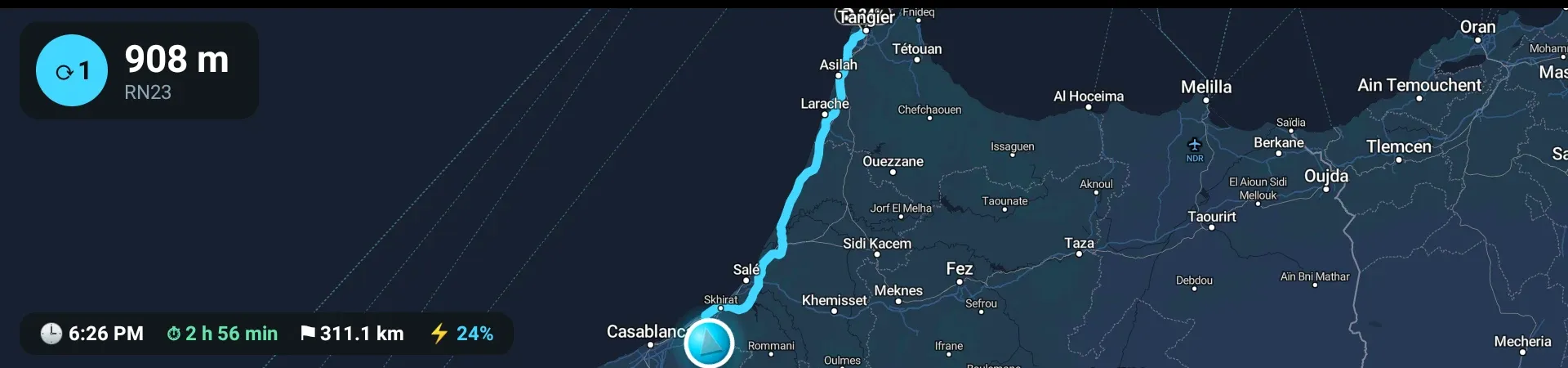
Sealion 7 Pilot runs on the car's own head unit and adds a live vehicle dashboard, battery and energy insights, EV trip planning with charging stops, and turn-by-turn navigation that keeps working when the signal does not.
Everything the head unit should have shipped with.
One dashboard for your car
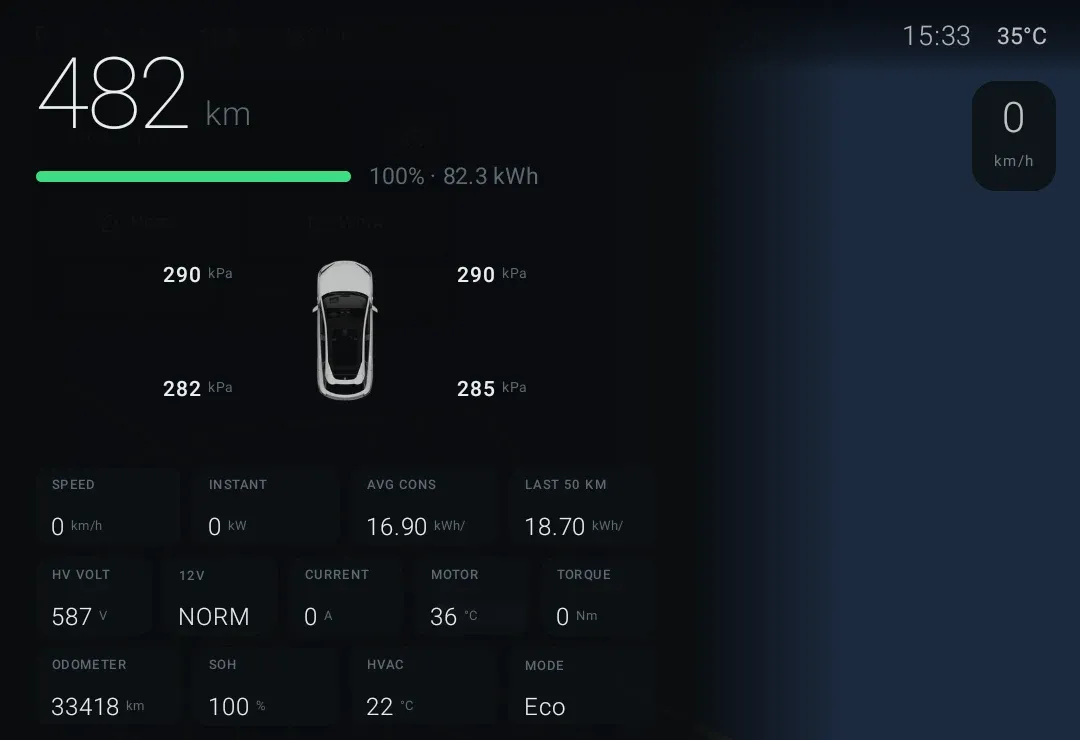
Speed, gear, state of charge, range, consumption, tyre pressures and drivetrain data — read live from the vehicle and presented on one glanceable screen.
Battery clarity
State of charge, remaining energy and charging power shown plainly, with invalid sensor readings filtered out instead of displayed as fake numbers.
EV-aware trip planning
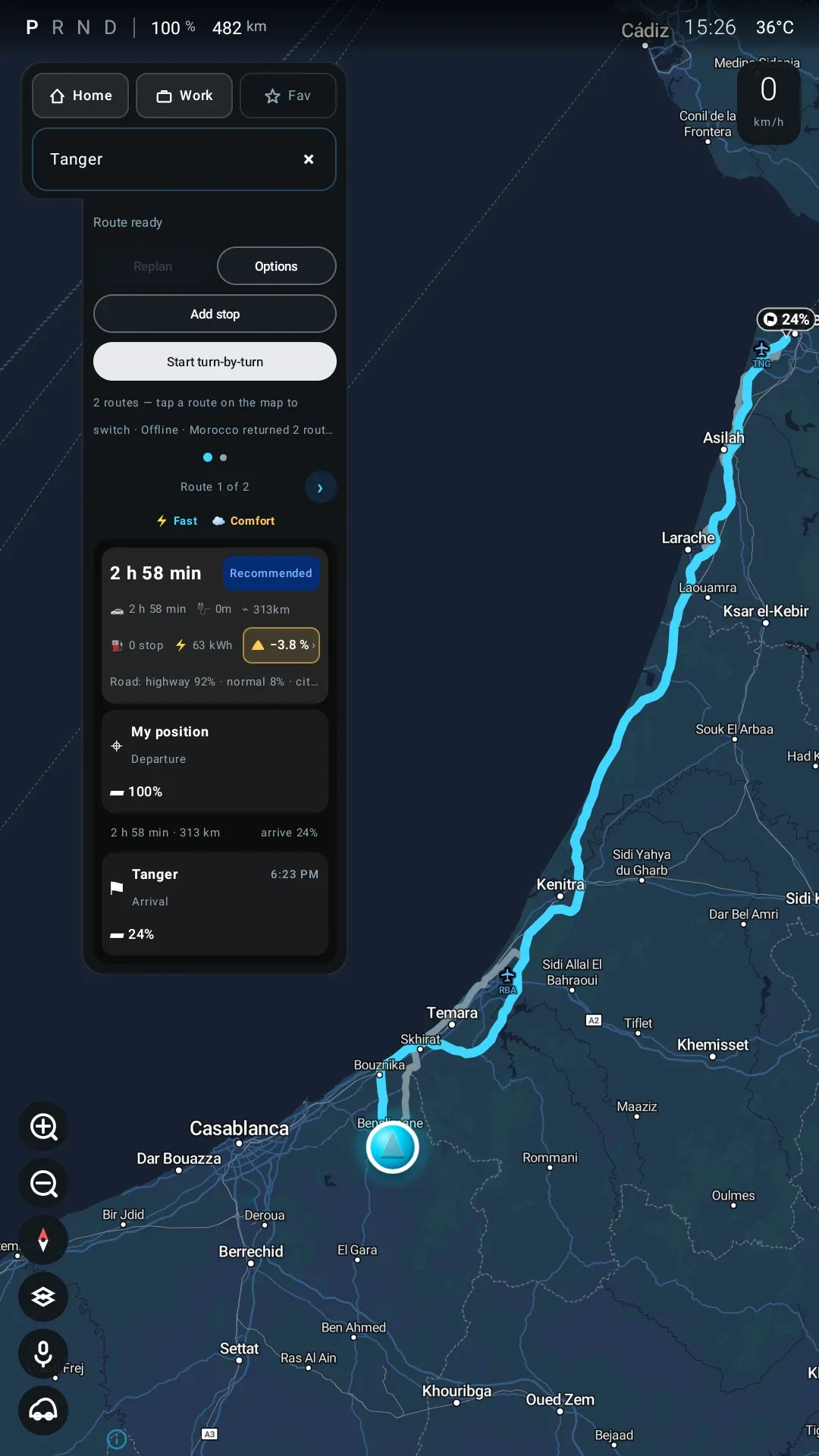
Routes are planned with your consumption and battery in mind, including charging stops with arrival state of charge for each leg.
Charging-stop visibility
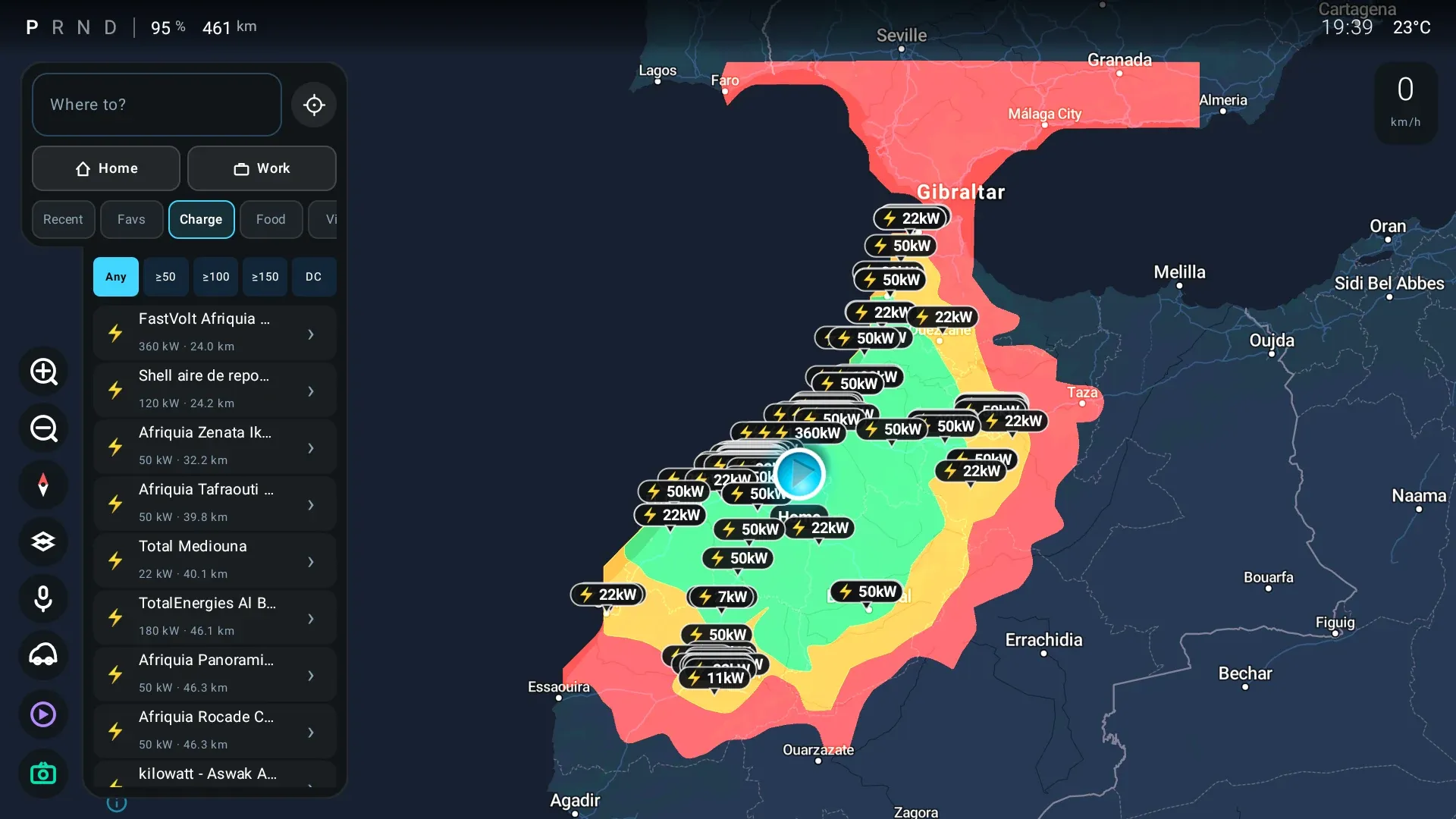
Charging stations along the route and around you, with connector power ratings and estimated charge times on planned stops.
Modern in-car navigation
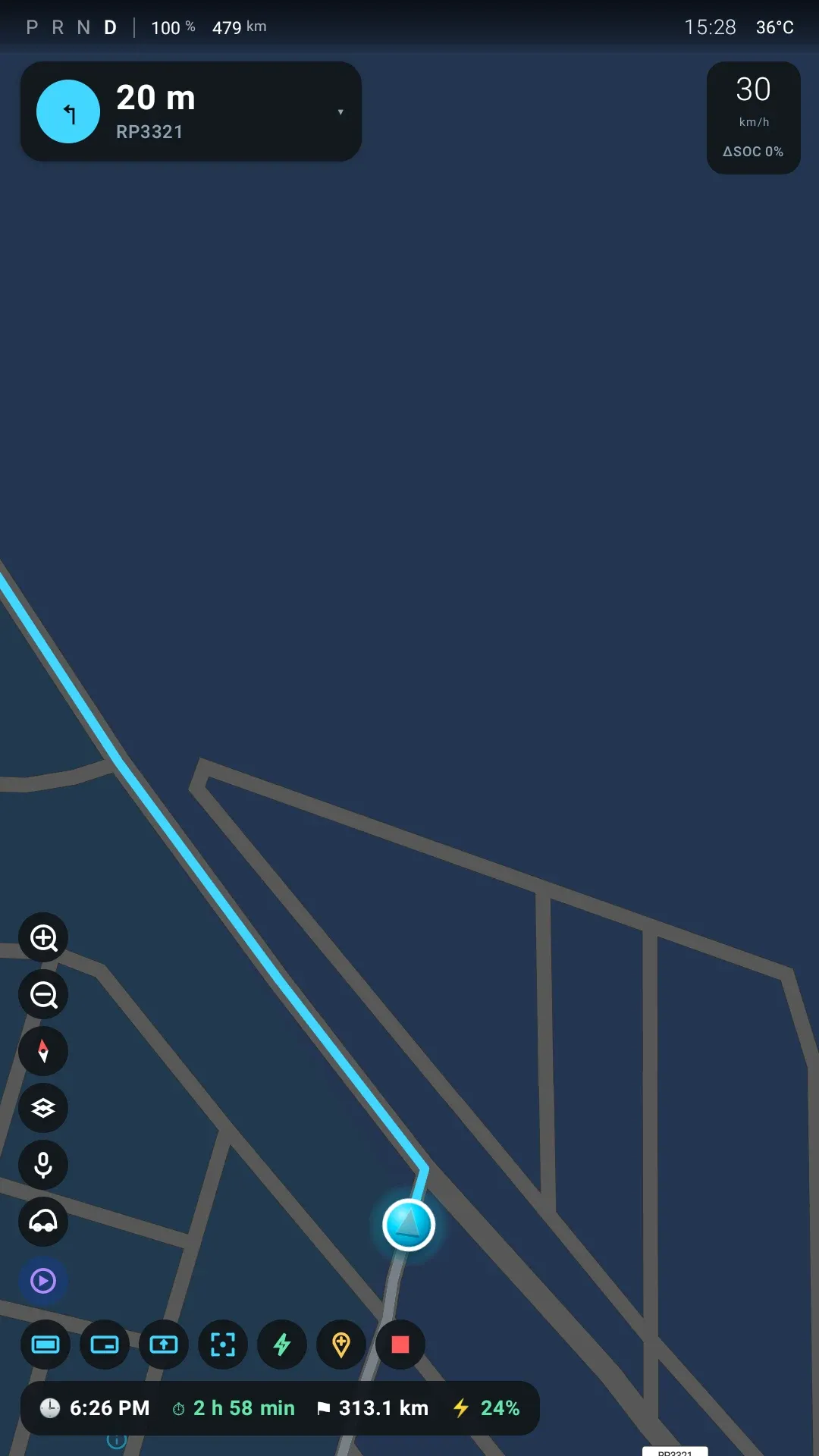
A fast vector map with turn-by-turn guidance, off-route recovery and a speed-adaptive camera — designed for a landscape automotive display.
Built around one car
Not a generic OBD viewer: every screen is designed for the Sealion 7's data, display and driving experience.
Features
Built for daily EV driving.
Every feature below is implemented and working in the current application. Capabilities still in development are listed separately — and clearly marked.
Live vehicle dashboard
Telemetry read directly from the vehicle: state of charge, range, speed, gear, drivetrain voltage and current, motor data and tyre pressures — refreshed continuously while you drive.
Fast signals (speed, gear, power) refresh every half second
Implausible sensor values are rejected, never displayed
Derived instant consumption from live voltage × current
The roads live on the car
Download your country's roads and map, and the head unit does its own routing. Plans, alternatives, reroutes and the repair after a missed turn are all computed in the car — nothing waits for a signal, and a tunnel or a dead zone changes nothing. Add up to four more countries and routes cross the borders between them. When there is a signal, live traffic adjusts the speeds it routes on; when there is not, it routes without.
Road packs for 136 countries, each with its roads, terrain and map
A home country plus up to four others, with routes across their borders
Car ferries in the route and the trip time, with boarding allowed for
Only search and live traffic need the network
Without a country installed there is no routing at all
EV trip planning with charging stops
Plan a journey and get an energy-aware route: per-leg distance, duration and energy, plus suggested charging stops with arrival state of charge and estimated charge time.
Charging stations with power tiers
Fast / economic / comfort route alternatives
Arrival state of charge for every leg, recalculated as you drive
Turn-by-turn navigation
A vector map tuned for the in-car display: smooth car tracking, a speed-adaptive 3D camera, live guidance instructions and automatic return-to-route when you leave the planned path.
Manoeuvre guidance with distance countdown, spoken out loud
Off-route detection and comeback routing, with a U-turn announced when the way back is behind you
Live traffic when there is a signal: the ETA, slow sections on your route, and a faster road announced once for you to take or ignore
Speed bump and level crossing alerts, if you turn them on
Kilometres or miles, following the unit the car is set to — on screen, on the cluster and in English guidance
A place opened by another app on the head unit arrives as a card you accept
Guidance keeps running with no signal, from the road pack on the car
Navigation on the instrument cluster
The route does not stay on the centre screen. It projects onto the driver's cluster display behind the wheel, so the next turn is in front of you rather than across the cabin — and one control swaps the two views, putting the overview on the dials and the close-in map on the big screen.
Projects in all three of the car's native modes — Simple, Small and Full
Comes up on its own when turn-by-turn starts; the map modes can also be cast by hand at any time
Runs in its own process, so it keeps navigating even if the head-unit side of the app is killed for memory
Recovers on its own from a stalled or black cluster
One 30 FPS pipeline drives both screens, so they cannot disagree about where you are or which turn is next
Trip and charging history
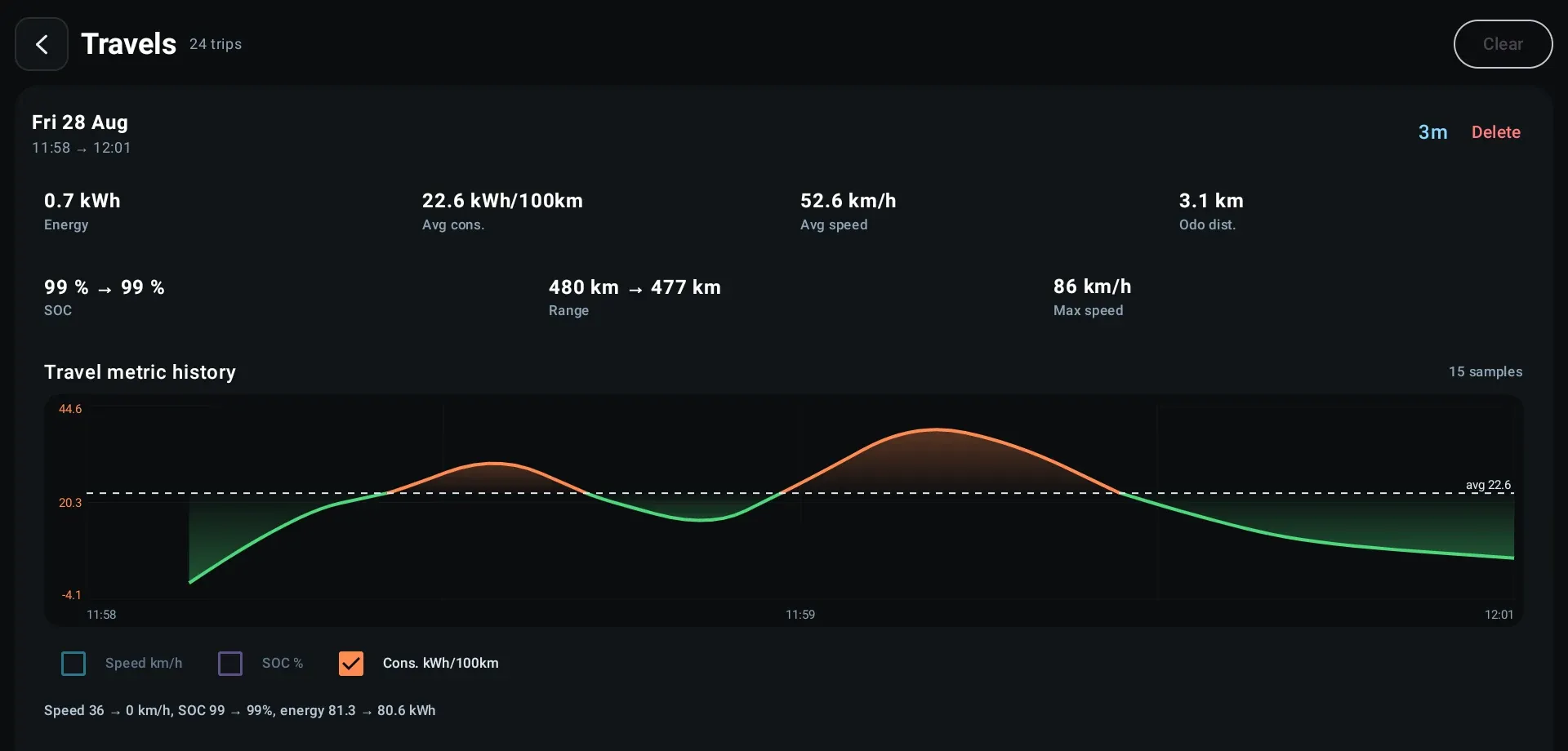
Journeys and charging sessions are recorded automatically in the background — distance, energy, consumption and charging power over time, stored on the device.
Automatic trip start/stop detection
Charging sessions with peak power and energy added
History survives ignition off/on cycles
The car linked to your account
Scan the code on the head unit and the car belongs to your account. It reports its battery, range and history there, so your car's numbers are not stranded on a screen you have to be sitting in front of.
Battery, range, odometer, gear and battery health, reported when they change
Finished trips and charging sessions mirrored to your account
Where the car is parked stays off until you turn it on — and turning it off deletes what was stored
Send a place from your phone, including one shared from your maps app; it arrives as a card the driver accepts, and can join a trip as a stop before you set off
One account, one car; unlinking stops the reporting immediately
Charging around you
Browse charging stations near the car or along the route, with DC/AC connector information and power ratings so you can pick the right stop before you commit.
Power-tier badges from slow AC to rapid DC
Station details with distance from your position
Charger stops integrated into route planning
When the car's own low-battery warning comes on, one tap opens the charger list
In the labIn development
These capabilities exist in the project but are not ready for daily use yet. They ship only when they are reliable in the car.
iPhone companion. The phone app for iOS — the car you have linked, its battery, range and history, and a destination sent to the head unit. Built and waiting on release in the App Store. It cannot install the car app: the installer is in the Android companion only.
Weather-aware range. Wind and temperature taken into the battery-on-arrival figure, the same way the planner already prices the climbs and descents on a route.
Head-up display. The next turn, its distance and the next road on the windshield, for cars fitted with a head-up display. It is in the app behind a switch that starts off, and it has not yet been seen on a car that has one — so it stays here until an owner confirms it works.
Voice assistant. The wake word, the speech recognition and the on-device voice are on the car and answer a short list of commands. Talking to it properly needs the on-device language model, which is switched off in the build.
Camera integration. Surround-view camera inside the app. Taken out of the current build and continuing on its own branch.
App preview
The interface, at a glance.
The main areas of the app, captured on the car. The head unit rotates; these were taken with it in portrait.
Captured on the car over adb (app 0.9.0, head unit in portrait), driving the app's own route simulator — the car itself was parked. The cluster shot is the second display, captured live while it projected the same route. Charging and Trip history are August captures of screens that have not changed.
How it works
From install to insight in four steps.
Install on the head unit
Sealion 7 Pilot runs on the car's DiLink head unit. There is no app store on the car, so the phone app puts it there over the car's Wi-Fi.
It connects to the car
On the Sealion 7 the app reads vehicle signals through the head unit's own interfaces. No extra hardware, no OBD dongle.
Drive with better information
The dashboard, trip recorder and navigation run on the car's display and keep working across ignition off/on cycles.
Plan and review journeys
Prepare EV trips with charging stops, follow turn-by-turn guidance, and review recorded trips and charging sessions afterwards.
Install
Get it onto your car.
The car has no app store, so the app goes on from your phone: the Sealion 7 Pilot phone app finds the car on your Wi-Fi and installs it when you say yes. No computer, no cable. After that the app updates itself.
Three months free, from the day you sign in.
Creating an account issues a licence for Sealion 7 Pilot straight away — nothing to enter, nothing to pay. It covers the app and every update for three months.
After that it needs a licence to keep running. What one costs has not been decided yet, and we would rather say so than print a number.
The app checks the licence on the car, not only at download. It carries on for a fortnight when the car cannot reach us, so a week in a garage is not a car locked out of its own navigation.
One account, one car. You link the head unit by scanning a code on its screen, and the licence covers the car it is linked to.
The link is what the car uses to fetch its map keys and its road pack, so an unlinked head unit shows the pairing code rather than a map.
Get the phone app
On an Android phone, signed in with the same account as above. The installer is in the Android app only.
The phone app is in a Google Play test, not a public listing yet. Open the link with the Google account on your phone, become a tester, then install it from Google Play.
This is what lets the phone install anything, and the Sealion 7 does not put it where Android normally does — getting there involves a settings screen you would not want to mistype. BYD Lab has the procedure written up and tested on the car, with the risk warning it deserves. The phone app shows the same steps.
Sealion 7: turn on adb over Wi-Fi and install an appThe switch is not where Android usually puts it, and the procedure carries a medium risk warning. Tested on head-unit build 51.1.4.2606220.1. Follow it up to turning adb on — the phone app does the installing.
Put the phone and the car on the same Wi-Fi
Your home network, or the phone's own hotspot with the car joined to it.
Find the car and confirm
Tap Find the car. The phone looks for the head unit on port 5555 and lists what answers; pick the car. The first time, the car asks whether to allow debugging from this phone — allow it, and it will not ask again.
Nothing is downloaded until you have seen the summary — which version, how big, onto which device at which address, and what is on it now — and tapped install. Keep both on the Wi-Fi until it finishes.
Open it on the car and link it
The app starts on a code. Scan it with the phone, and the car is linked to your account.
What the phone installs
Package
dev.pilotlab.sealion7pilot — the only one it can install
From
bydlab.dev, for an account with an active licence
Checksum
Checked by the phone before anything reaches the car
Afterwards
The download is deleted from the phone
Updates arrive the same way, over the car's Wi-Fi, and keep the car linked. Once the app is on the car it can also update itself, so the phone is not needed every time.
Purpose-built
Designed for the Sealion 7, not adapted to it
Sealion 7 Pilot targets the BYD Sealion 7's DiLink infotainment environment — its Android platform, its landscape display, its vehicle data interfaces and its ignition behaviour. We have driven thousands of kilometres testing it in the car it was built for. The app also installs on regular Android devices for development and preview, with vehicle features inactive.
Vehicle
BYD Sealion 7
Environment
DiLink head unit (Android 11)
Display
Landscape automotive panel
Vehicle data
Read-only telemetry
Data storage
On device
Testing
Thousands of km driven
Sealion 7 Pilot is an independent project and is not affiliated with, endorsed by, or supported by BYD. BYD, Sealion and DiLink are trademarks of their respective owners.
Roadmap
Shipping honestly.
Statuses reflect the current state of the project. Nothing in "planned" is available today.
Available
Live vehicle dashboardTelemetry, battery and drivetrain data
Trip & charging historyAutomatic background recording, including charges the unit slept through
EV route planningCharging stops with arrival state of charge
Offline maps and routingRoad packs for 136 countries — map, routes and reroutes on the car with no network, across up to five countries
Turn-by-turn navigationVector map with guidance and rerouting
Charging-station browserStations near you and along the route, with power tiers
Car linked to your accountBattery, range and history reported to the account that holds the licence
Instrument-cluster navigationAll three of the car's modes on the driver display, steady over long drives and while the app is in the background
Live trafficTraffic on your route: the ETA, slow sections and faster-route suggestions
Phone companion for AndroidInstalls the app on the car and shows it from your phone — in a Google Play test
In development
iPhone companionBuilt — waiting on the App Store
Weather-aware rangeWind and temperature priced into the arrival battery, as the hills already are
Head-up displayIn the app, off by default — waiting on a car with a HUD to confirm it
Voice assistantOn-device voice and commands; the language model is off
Camera integrationSurround-view, on its own branch
Planned
More BYD modelsSupport for BYD EVs beyond the Sealion 7
Richer charging integrationsMore providers and live availability
FAQ
Common questions.
What is Sealion 7 Pilot?
An independent Android application that runs on the BYD Sealion 7's head unit. It adds a live vehicle dashboard, EV trip planning with charging stops, turn-by-turn navigation, and automatic trip and charging history.
Which vehicles are supported?
The app is built specifically for the BYD Sealion 7 with the DiLink head unit. It can be installed on other Android devices for preview, but vehicle telemetry only works on the supported car.
Is this an official BYD application?
No. Sealion 7 Pilot is an independent project with no affiliation to BYD. It is not endorsed, supported or distributed by BYD.
Does it replace the car's original system?
No. It runs as a regular app alongside the original DiLink software. The factory system, its navigation and its safety features remain untouched.
Which features are available today?
Live dashboard, battery and energy insights, EV route planning with charging stops, turn-by-turn navigation on both the centre screen and the instrument cluster, live traffic, a charging-station browser, and automatic trip and charging history. Routing and the map run on the car from a country pack you download once — your home country and up to four more, with routes across their borders and car ferries included — so they work with no network; with a signal, live traffic adjusts the route and the ETA. Cluster guidance runs in all three of the car's modes and keeps going while the app is in the background. The Android phone companion, which installs the app on the car, is in a Google Play test. The iPhone companion, a full voice assistant and camera integration are still in development.
Does it need an internet connection?
For the map and routing, no — that is why the country pack exists. The map, planning, rerouting and guidance run on the head unit once your country's pack is downloaded, and 136 countries have one today. Destination search and live traffic do need the network; without it, routes are timed on normal road speeds. There is no routing at all in a country with no pack, and a new install cannot route until it has one.
Does it show live traffic?
Yes, when the head unit has a signal. Live traffic adjusts the speeds the on-car router plans with, and during guidance the road ahead is timed against live traffic, so the ETA follows the queues, slow sections show on your route, and when a faster road opens up the app says how many minutes it saves, once, and offers it on a card — drive onto it and it becomes your route. Traffic older than 30 minutes is ignored. To time your route, the app sends the road ahead of the car to a traffic service. With no signal, routing carries on from the road pack on normal road speeds, and the app still reroutes when you leave the route, miss a turn, change the destination or finish charging.
How is my vehicle data handled?
Vehicle telemetry is read locally and stored on the head unit. Once the car is linked to your account it also reports a summary — charge, range, odometer, gear — about once a minute, so the phone app can show it, and mirrors finished trips and charging sessions. Where the car is parked is a separate switch that is off until you turn it on, and turning it back off deletes the position already stored. Network access is otherwise used for destination search, live traffic and charging-station data — for traffic, the road ahead of the car is sent to a traffic service to be timed. If the app crashes, a linked car files the crash as a support report on your account, with keys, email addresses and the VIN taken out first; a switch on the Link screen in the car turns that off. Trip history stays on the head unit and can be cleared from the app.
How can I install or test the app?
From an Android phone. You turn on adb over Wi-Fi in the car once — that part is specific to this car, and the BYD Lab guide linked in the Install section is the tested version to follow — then the Sealion 7 Pilot phone app finds the car on the same Wi-Fi, shows you what it will install, and installs it when you confirm. The phone app is in a Google Play test rather than a public listing for now: join the test from the Install section, then install it from Google Play.
What does it cost?
Creating an account issues a three-month licence for the app immediately — there is nothing to enter and nothing to pay. After those three months it needs a licence to keep running, and no price has been announced. The licence is checked on the car as well as at download: you link the head unit to your account by scanning a code on its screen, one account holds one car, and the app carries on for a fortnight when it cannot reach us.
What is planned next?
See the roadmap above: the iPhone companion, head-up display support (in the app, waiting to be confirmed on a car that has one), weather in the range prediction and a full hands-free assistant are in development, with more BYD models and richer charging integrations after them.
Support
Something not right? Tell us here.
Licence holders can report a bug or send an idea from this site, attach what shows the problem, and follow our answer on the same page.
One thread per report
Each report keeps its own conversation. Add to it — another screenshot, the version you updated to — until it is sorted.
Show us, do not describe it
Drop in screenshots, a log or a short screen recording: up to five files a message, 10 MB each.
Answered where you asked
Our reply lands on the report, and your list shows which ones have one.